

For most Canadian agents, the right call is straightforward: hire a local real estate media provider for any listing where MLS compliance, buyer trust, and polished before/after outputs genuinely matter. Reserve vetted DIY tools for low-stakes curb appeal touch-ups where you are comfortable managing disclosure yourself.
Quick decision triggers to help you choose:
- Hire a local provider when the property is a vacant lot, a fixer-upper, or a higher-value listing where buyers will scrutinize every photo.
- Use a DIY tool only for minor hedging, turf swaps, or quick concept images on well-maintained yards where the edit is clearly cosmetic.
- Skip virtual landscaping entirely when the yard is already well-maintained and the listing photos are strong.
Your immediate next step: request a before/after portfolio and ask any vendor to walk you through their MLS-ready disclosure workflow before you place an order.
Key takeaways
Virtual landscaping for real estate listings is most effective when the render is realistic, the disclosure workflow is airtight, and the provider understands the local Canadian market.
| Point | Details |
|---|---|
| Hire local for complex listings | Use a local provider for vacant lots, fixer-uppers, and higher-value listings where MLS compliance and buyer trust are critical. |
| Follow the five-step workflow | Shoot, upload, review the draft, request edits, then export paired before/after files with an edit manifest. |
| Disclose every altered image | Label edited photos, provide the original alongside, and never add non-existent permanent features. |
| Budget by volume and listing type | AI per-image tools cost roughly US$10–50 with drafts in under five minutes; full-service CGI runs 24–48 hours for refined results. |
| Readysetsoldmedia for Lower Mainland agents | Delivers MLS-ready virtual staging, paired originals, and a full media suite across Surrey, Vancouver, and the broader Lower Mainland. |
Table of Contents
- What is virtual landscaping in real estate, and when does it move a listing?
- What the photo-to-final workflow looks like step by step
- Which features matter most when choosing a tool or service?
- How to shoot listing photos that give virtual landscaping the best result
- MLS compliance and disclosure rules every Canadian agent should follow
- Pricing and turnaround: what to budget and when to upgrade
- What to ask a provider before you place your first order
- Why local expertise matters for Canadian listings
- The case for realistic renders over aspirational ones
- Readysetsoldmedia delivers MLS-ready virtual landscaping for Lower Mainland agents
- Sources
What is virtual landscaping in real estate, and when does it move a listing?
Virtual landscaping, sometimes called digital property landscaping, is the process of using AI or CGI to alter the exterior grounds in a listing photo. Techniques include image-to-image translation and semantic segmentation, which lets software identify grass, soil, hedges, and hardscape separately and replace or enhance each element independently.
The use cases where it actually shifts buyer behaviour:
- Vacant lots: Rendering grass, mature trees, and a driveway gives buyers a concrete mental image of what they are purchasing, which tends to lift online click-through rates on otherwise bare-looking listings.
- Fixer-uppers: Replacing a patchy lawn, overgrown hedges, or a cracked concrete path with a clean, realistic version helps buyers see past deferred maintenance.
- Pool and yard cleanup: Removing debris, algae, or dead plants from pool surrounds and garden beds is one of the fastest wins.
- Turf replacement: Swapping dying grass for healthy sod or drought-tolerant ground cover is a common request in drier parts of BC.
- New build concepts: Showing a finished landscape on a bare-dirt lot helps pre-sale buyers commit earlier.
Pro Tip: Virtual landscaping works best when the edit is realistic and implementable. A render showing a lush, mature garden on a property with a north-facing yard and clay soil will create an expectation gap that erodes buyer trust at the showing. Aim for designs a buyer could actually install.
What the photo-to-final workflow looks like step by step
Knowing the steps in advance helps you set client expectations and confirm that a vendor's process is MLS-compliant before you commit.
- Shoot or select the original photo. Use your highest-resolution exterior shot. This file must be preserved exactly as captured; it is the disclosure anchor for every edited version.
- Upload to the platform or send to your provider. Most browser-based AI tools accept a JPEG upload and return a first draft in seconds to under five minutes, according to AI virtual landscaping benchmarks from Colossis. Full-service CGI providers typically need 24–48 hours for a refined render.
- Review the AI draft or first CGI pass. Check shadow direction, plant scale, and whether hardscape elements align with the property's actual geometry. Floating plants or mismatched lighting are the most common first-draft problems.
- Request edits. Most platforms allow one or two revision cycles. A full-service provider should accommodate specific plant species, local climate zones, and hardscape materials.
- Export the final deliverables. You need: a paired before/after image set, an edit manifest or change log describing what was altered, and MLS-ready JPEG files. A PDF proposal version is useful for seller presentations.
Pro Tip: Ask your provider to bake the disclosure label directly onto the edited image and deliver the original as a paired file in the same folder. That single step satisfies the core requirement from Northstar MLS guidelines without any extra work on your end.
Which features matter most when choosing a tool or service?
Not every platform is built for Canadian listings. Here is what to check before you commit:
- Plant and asset library size. A larger library means more realistic local species. A tool with only tropical or US-Southwest plants will look wrong on a Lower Mainland listing.
- Climate and zone presets. Canada spans multiple hardiness zones. A tool that understands BC's coastal climate will suggest species that actually grow here, which matters for buyer credibility.
- Depth maps and semantic segmentation. These are the technical features that prevent floating plants and misaligned shadows. Colossis confirms that depth mapping and semantic segmentation are what separate realistic renders from obvious fakes.
- Shadow and lighting consistency. The edited image must match the original photo's sun angle. Inconsistent lighting is the fastest way to make a render look artificial.
- Hardscape assets. Driveways, fences, pathways, and retaining walls are as important as plants for a complete exterior transformation.
- Browser-based access. No-install, browser-based tools reduce friction. Some platforms can produce a first draft in roughly 15 minutes from a single uploaded photo.
- MLS-ready export formats. Confirm the tool outputs JPEG at the resolution your MLS board requires, and that PDF proposal exports are available.
- Edit manifest support. Any platform you use for compliance-sensitive listings should generate a log of what was changed. This is the document that protects you if a buyer later disputes what was altered.
For complex projects, professional 2D and 3D landscape design suites offer higher-fidelity renderings when a quick AI draft is not sufficient. These are worth considering for luxury listings or large lot properties where buyers expect architectural-grade visuals.
How to shoot listing photos that give virtual landscaping the best result
The quality of the input photo determines the quality of the output. A blurry, backlit, or tightly cropped shot will produce a render that looks pasted-on regardless of how good the software is.
- Shoot wide. A wider angle captures more of the yard and property boundary, giving the editing software more context to work with.
- Shoot on a clear day. Overcast flat light is acceptable; harsh midday shadows or rain-wet surfaces create lighting inconsistencies that are difficult to correct in post.
- Maintain high resolution. Most MLS boards in Canada require a minimum resolution for listing photos. Shoot at your camera's native resolution and do not compress before uploading to a virtual landscaping platform.
- Include property boundaries. Fences, hedges, and lot edges help the AI understand where the property ends, which prevents edits from bleeding into neighbouring yards.
- Avoid extreme shadows. Deep shadows in the foreground hide ground-level detail the software needs to segment accurately.
- Preserve the original file exactly as shot. Do not apply filters, crop, or colour-correct the original before uploading. The unedited file is your disclosure asset. Store it in a named folder alongside the final edited version so you can produce it on request.
For MLS-ready listing photography in the Lower Mainland, shooting to these standards from the start saves a revision cycle and keeps your disclosure workflow clean.
MLS compliance and disclosure rules every Canadian agent should follow
Canadian real estate boards have not yet enacted legislation as specific as California's AB 723, which took effect January 1, 2026, and makes non-disclosure of digitally altered listing images a criminal matter in some cases. However, AB 723 sets a clear industry direction that Canadian boards are watching closely, and the Northstar MLS guidelines represent the current best-practice standard for North American agents.
Your compliance checklist:
- Label altered images. Any photo that has been virtually landscaped must carry a visible disclosure, either on the image itself or immediately adjacent to it in the listing.
- Provide the original. The unaltered before photo must be accessible to buyers, either displayed alongside the edited version or available via a link or QR code.
- Maintain an edit manifest. Keep a record of what was changed in each image. This protects you and your brokerage if a buyer claims misrepresentation.
- No fabricated permanent features. You cannot add a structure, pool, or outbuilding that does not exist. Virtual landscaping covers plants, turf, and softscape. Adding a garage or a deck crosses into prohibited territory under both Northstar MLS rules and the AB 723 framework.
- No hiding structural issues. Covering a cracked foundation wall with a hedge, or obscuring a drainage problem with grass, is misrepresentation regardless of how the image is labelled.
The AB 723 compliance guide from Roomagen describes a practical paired-ordering workflow: the platform returns the edited image with an on-image label, the original as a paired file, and a manifest describing changes. Platforms that automate all three outputs reduce your legal and operational risk significantly.
Pro Tip: When reviewing AI virtual staging rules for BC realtors, confirm your brokerage's own policy on digitally altered images before you publish. Some brokerages have stricter internal standards than the MLS board minimum.
Pricing and turnaround: what to budget and when to upgrade
Understanding the cost structure helps you decide whether per-image, subscription, or full-service pricing fits your volume and listing type.
- AI per-image tools typically cost roughly US$10–50 per image for basic renders, with processing times under five minutes for a first draft, as detailed by Colossis. These are suitable for straightforward turf swaps or hedge cleanup on standard listings.
- Subscription plans bundle unlimited or high-volume renders at a monthly fee. For teams or brokerages processing multiple listings per week, subscriptions with edit manifest and on-image disclosure support are often more efficient than per-image purchases.
- Full-service CGI providers charge project rates that vary by complexity. Turnaround is typically 24–48 hours for a refined render, with additional time for revision cycles. These are appropriate for vacant lots, luxury listings, or any property where a photorealistic, architecturally accurate render is worth the premium.
| Pricing model | Best for | Typical turnaround |
|---|---|---|
| Per-image AI tool | Single listings, minor edits | Seconds to 5 minutes |
| Subscription (AI) | Teams, high-volume agents | Seconds to 5 minutes |
| Full-service CGI | Luxury, vacant lots, complex edits | 24–48 hours |
For agents in the Lower Mainland, Readysetsoldmedia's pricing page gives a clear breakdown of package options so you can match the service level to the listing.
What to ask a provider before you place your first order
A provider's portfolio tells you what they can do. Their answers to these questions tell you whether they will protect you.
Trust signals to look for:
- Before/after portfolio with local Canadian examples
- Confirmed MLS-ready JPEG export at board-required resolution
- Edit manifest included with every delivery
- On-image disclosure label baked into the edited file
- Paired original delivered alongside the edited version
- Named local referrals or case examples from BC agents
Questions to ask directly:
- "Do you include an on-image disclosure label on every edited photo?"
- "Can I receive the original paired with the edited image in the same delivery?"
- "Do you provide an edit manifest describing what was changed?"
- "What file formats do you deliver, and are they MLS-ready?"
- "Can you show me a local case example from a Canadian listing?"
- "What edits are outside your scope?" (Confirm they will not add non-existent structures.)
For vacant land listings specifically, ask whether the provider has experience rendering landscaping onto bare lots, since the technical challenge of placing plants and hardscape on an undeveloped site is meaningfully different from editing an existing yard.
Why local expertise matters for Canadian listings
A render that looks convincing in Phoenix will look wrong in Port Moody. Plant species, seasonal foliage colour, and the character of a BC yard are specific enough that buyers in the Lower Mainland will notice when something is off, even if they cannot articulate why.
Local advantages a specialist provider brings:
- Knowledge of BC hardiness zones and which species are realistic for the property's microclimate
- Familiarity with buyer expectations in specific submarkets (Richmond, Surrey, North Vancouver each have distinct yard aesthetics)
- Understanding of seasonal context, so a render delivered in February does not show a full summer garden that contradicts the listing date
The practical ask when vetting vendors: request showing-increase data or faster-sale timelines from their existing Canadian clients. Providers who track these metrics are operating at a professional level. Those who cannot produce local performance data are worth treating with caution on higher-value listings.
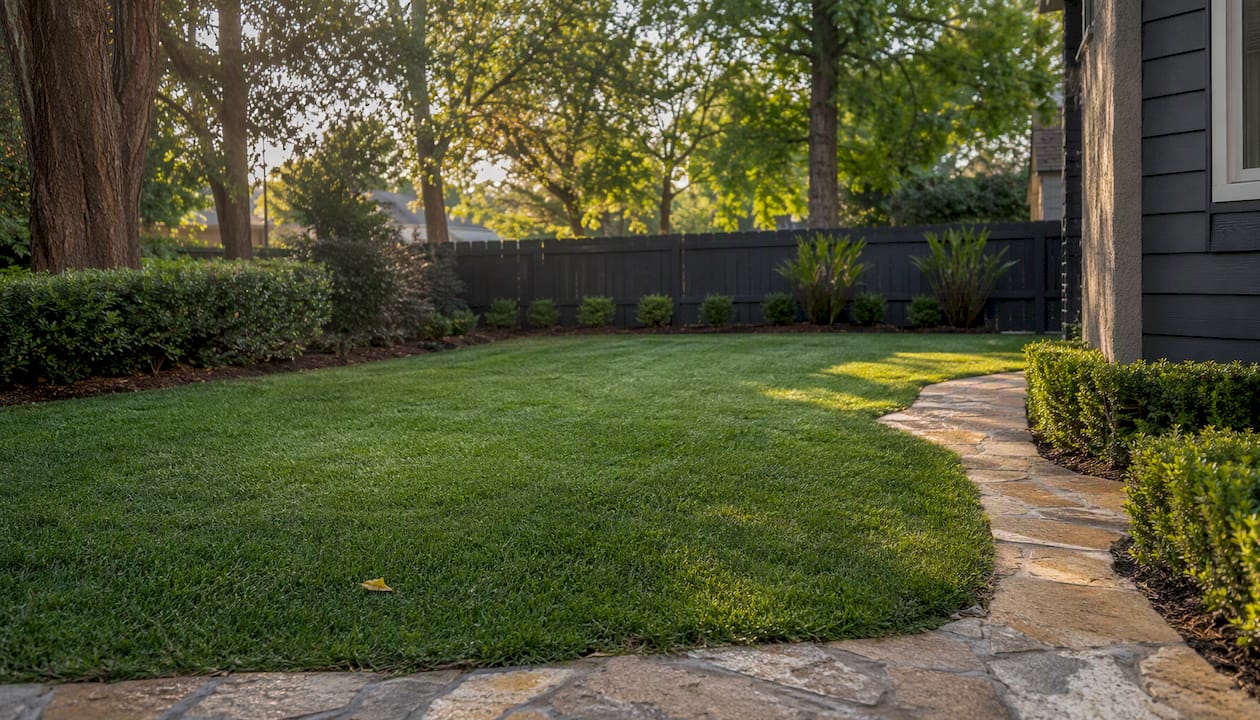
Virtual landscaping is most effective when it is realistic and implementable. The biggest risk is the expectation gap: a render so aspirational that buyers arrive at the showing and feel misled. Aim for designs that a motivated buyer could actually install within a reasonable budget, and you will find that virtual outdoor spaces support rather than undermine the sale.
The case for realistic renders over aspirational ones
Most agents underestimate how quickly an over-edited exterior photo backfires. Buyers in the Lower Mainland are sophisticated. They have seen enough listings to recognise when a garden looks too perfect for the lot size, the sun exposure, or the neighbourhood. When the showing does not match the listing photo, the first question they ask is what else was exaggerated.
The smarter approach is to use virtual landscaping the way a good stager uses furniture: to show the property's realistic potential, not a fantasy version of it. A clean lawn, trimmed hedges, and a tidy driveway render will do more for your listing than a render featuring mature specimen trees that would take 20 years to grow. Disclosure matters, but so does restraint. Agents who use these tools conservatively build a reputation for honest marketing, and that reputation compounds over time in ways that a single flashy listing photo never will.
Readysetsoldmedia delivers MLS-ready virtual landscaping for Lower Mainland agents
Readysetsoldmedia is the local media partner for agents who need virtual landscaping done right the first time, with paired originals, on-image disclosure, and MLS-ready files included as standard. Rather than managing a DIY tool and its compliance requirements yourself, you get a complete delivery: virtual staging and exterior visualisations alongside HDR photography, cinematic video, drone media, and 3D floor plans, all formatted for MLS submission.
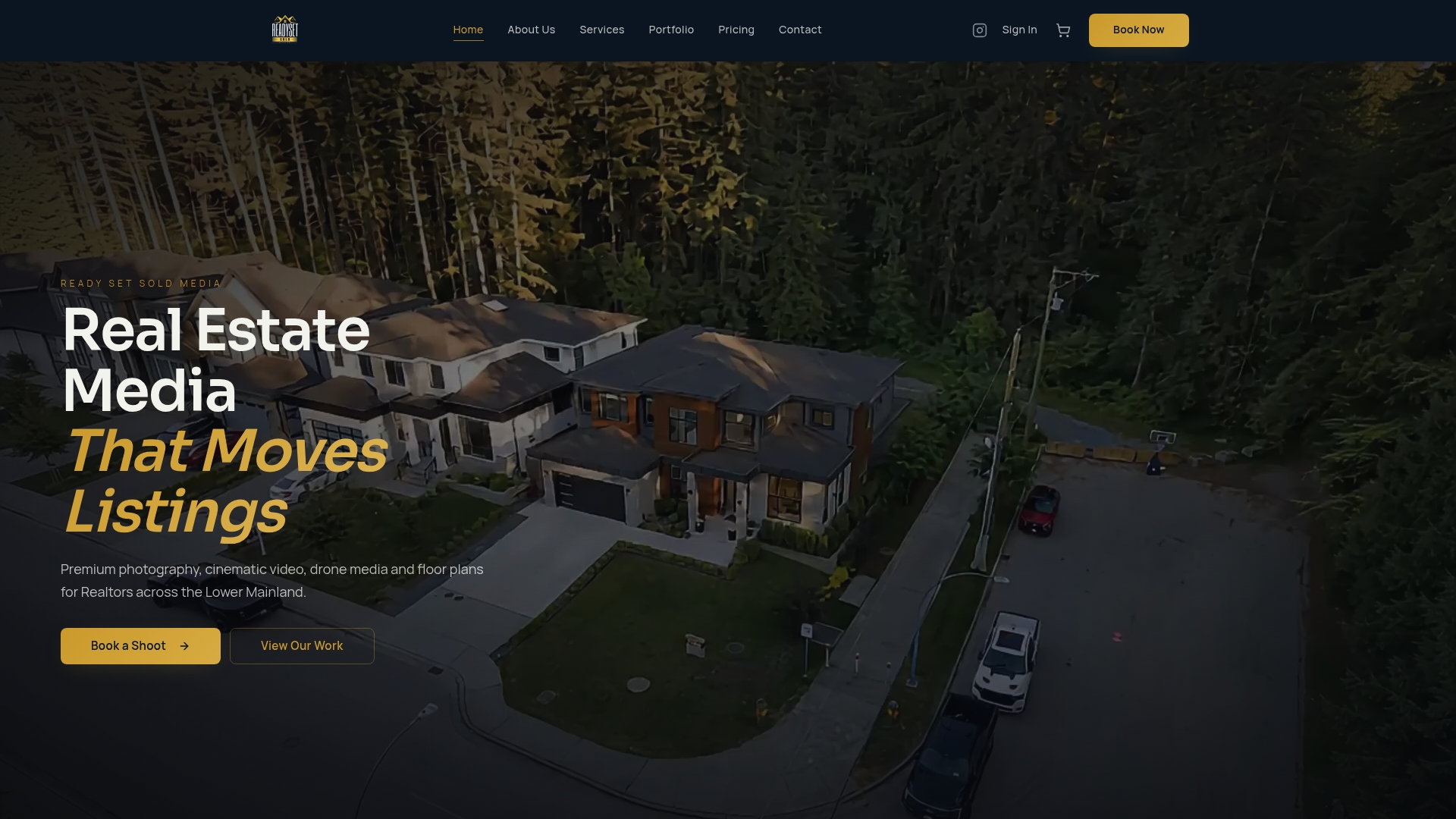
With over $300 million in property value captured across the Lower Mainland, including Surrey, Vancouver, Burnaby, Richmond, Langley, and Abbotsford, Readysetsoldmedia brings local market knowledge to every shoot. You can review the full real estate media services suite or contact the team directly to request a local portfolio and a sample MLS-ready deliverable set for your next listing.
Sources
- Guidelines for virtual staging and AI‑enhanced listing photos — Northstar MLS
- What is AI virtual landscaping for real estate and how does it actually work? | Colossis